MacBook Pro M5 Review: Is the Upgrade Worth It for Kuwait Buyers?
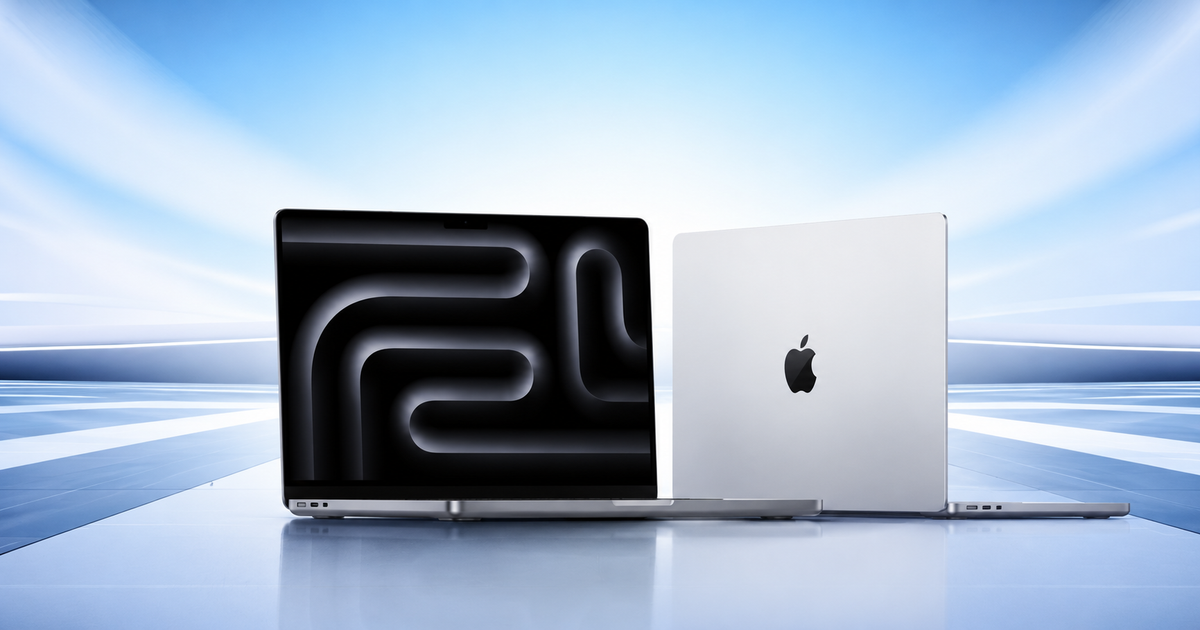
If you are looking for a premium laptop in Kuwait, the MacBook Pro M5 is probably already on your shortlist. It combines Apple's latest standard M5 chip with a high-end Liquid Retina XDR display, long battery life, a premium aluminum design, and the connectivity that many professionals still miss on thinner laptops.
But there is a bigger question than whether the MacBook Pro M5 is good.
Is it worth the upgrade for you?
That answer depends on what you are upgrading from and what you expect from your next laptop.
For someone moving from an Intel MacBook, an older Windows laptop, or an aging MacBook Air, the M5 MacBook Pro can feel like a major step forward. For someone who already owns an M4 MacBook Pro, however, the decision is less straightforward.
And in Kuwait, price matters. At the time of writing, Chips lists the 14.2-inch MacBook Pro M5 with 16GB unified memory and 1TB SSD at 659.900 KWD. Chips also lists a 16GB/512GB version at 579.900 KWD, although that configuration is currently shown as out of stock.
So, should you spend the money?
Let's break it down.
MacBook Pro M5: Quick Verdict
Yes, the MacBook Pro M5 is worth buying if you need a high-performance professional laptop and will actually use its advantages.
The 14-inch M5 model is particularly appealing if your work involves content creation, photography, video editing, software development, research, multitasking, or other demanding applications.
Its biggest strengths are:
- Powerful and efficient M5 chip
- Excellent Liquid Retina XDR display
- ProMotion refresh rate up to 120Hz
- Up to 24 hours of Apple-rated video streaming battery life
- 12MP Center Stage camera
- HDMI and SDXC card slot
- Three Thunderbolt 4 ports
- MagSafe 3 charging
- Premium aluminum construction
- 16GB, 24GB or 32GB unified memory options
- Up to 4TB SSD storage on the M5 model
Apple's current MacBook Pro lineup also includes M5 Pro and M5 Max models for users who need considerably more CPU, GPU, memory and media-processing performance.
For everyday users, though, the MacBook Air M5 deserves serious consideration before spending more.
What Is the MacBook Pro M5?
Apple introduced the 14-inch MacBook Pro with the standard M5 chip in October 2025. It remains part of Apple's current MacBook Pro family in 2026, alongside the more powerful M5 Pro and M5 Max models.
The standard M5 MacBook Pro is essentially the entry point into Apple's current professional laptop range.
It is not designed to compete directly with the M5 Pro or M5 Max in extremely demanding workloads. Instead, it offers a strong balance between performance, portability, battery efficiency and professional features.
That makes the 14-inch model particularly interesting for people who want a serious laptop without moving to the larger 16-inch MacBook Pro.
Design: Still One of the Best Premium Laptop Builds
The MacBook Pro M5 retains Apple's familiar aluminum design.
You can choose between Silver and Space Black, and the overall construction feels solid and premium. The 14-inch model is compact enough to carry to work, university, meetings or a café without feeling like you are carrying a desktop replacement.
The design is not revolutionary compared with the previous generation, but it does not need to be.
Apple has focused more on refining the experience than changing the appearance.
The result is a laptop that looks professional without being unnecessarily flashy.
For Kuwait buyers who frequently move between home, office and university, the 14-inch size is a particularly good balance.
If you want the largest possible screen, the 16-inch MacBook Pro is the obvious choice. But for everyday portability, the 14-inch model makes more sense.
Display: One of the Biggest Reasons to Choose the Pro
The display is arguably the strongest reason to buy the MacBook Pro instead of the MacBook Air.
The 14-inch MacBook Pro M5 has a 14.2-inch Liquid Retina XDR display with a 3024 × 1964 resolution.
It also supports ProMotion with adaptive refresh rates up to 120Hz. This makes scrolling and supported animations feel smoother than on a conventional 60Hz display.
The Liquid Retina XDR panel is also designed for high-dynamic-range content, making it particularly useful for photographers, video editors and other visual professionals.
Apple specifies up to 1,000 nits sustained brightness for XDR content and up to 1,600 nits peak brightness under specified conditions.
For ordinary browsing and office work, you may not notice the full benefit of these specifications.
But if you edit photos, work with HDR video, design graphics or simply care about having one of the best laptop displays available, the difference becomes much easier to appreciate.
This is an area where the MacBook Pro earns its “Pro” name.
M5 Performance: Fast Enough for Most Professionals
The standard M5 chip features:
- 10-core CPU
- 10-core GPU
- 16-core Neural Engine
- Neural Accelerators
- Hardware-accelerated ray tracing
- 153GB/s memory bandwidth
Apple says the M5's unified memory bandwidth is nearly 30% higher than the M4 and more than twice that of M1.
What does that mean in practical terms?
For most users, it means the MacBook Pro M5 feels extremely responsive.
You can comfortably work with multiple browser tabs, productivity applications, communication tools and other software simultaneously.
For content professionals, it provides enough performance for demanding writing, image editing and many video workflows.
For developers, it can handle large codebases, development environments and multiple applications without feeling like an entry-level machine.
And for users who work with AI tools, Apple's M5 architecture includes a dedicated Neural Engine and Neural Accelerator hardware designed to accelerate supported AI workloads.
However, performance requirements vary considerably.
If your work involves complex 3D rendering, extremely large datasets, advanced AI development, or intensive professional video production, the M5 Pro or M5 Max may be a better fit.
How Much Memory Do You Need?
The standard M5 MacBook Pro supports 16GB, 24GB or 32GB of unified memory.
For many people, 16GB is enough.
If your daily work consists of:
- Microsoft Office
- Google Workspace
- Web browsing
- Research
- Content writing
- Video calls
- Social media management
- Light photo editing
then 16GB should be more than adequate.
If you regularly use demanding creative applications, run several professional applications simultaneously, work with large projects or use development environments heavily, consider 24GB or 32GB.
Remember that Apple's unified memory is integrated into the system architecture, so you cannot treat it like conventional laptop RAM that you can simply replace later.
Choose your memory configuration carefully when purchasing.
Storage: Is 1TB Worth It?
For a professional laptop, we would generally recommend 1TB if the budget allows it.
The reason is simple: modern applications, photos, videos and project files can consume storage surprisingly quickly.
A 512GB SSD can work perfectly well for an office user who stores most files in the cloud.
But if you work with:
- High-resolution photographs
- Video files
- Design projects
- Large software projects
- Local development environments
- Offline media
- Large datasets
1TB gives you considerably more breathing room.
There is an important point for Kuwait buyers, though.
Apple currently lists the 14-inch MacBook Pro with M5 in 512GB and 1TB storage configurations, with options up to 4TB. Chips currently lists the 16GB/1TB configuration at 659.900 KWD and the 16GB/512GB version at 579.900 KWD, with the latter currently out of stock.
Therefore, if you are buying from Chips today, the 16GB/1TB model is the configuration to focus on.
Battery Life: A Major Advantage
Apple rates the 14-inch MacBook Pro M5 for up to 24 hours of video streaming and up to 16 hours of wireless web use, based on Apple's testing conditions.
That does not mean every user will get 16 or 24 hours.
Your actual battery life will depend on factors such as:
- Screen brightness
- Applications being used
- Browser activity
- Video editing
- AI workloads
- External displays
- Wireless activity
- System settings
Heavy workloads naturally consume more power.
Still, Apple's silicon architecture is known for combining strong performance with efficient power consumption, and this remains one of the MacBook Pro's major advantages.
For someone working away from a power outlet, that efficiency can matter more than a small difference in benchmark scores.
Ports: Why Professionals Still Prefer the Pro
One of the most practical advantages of the MacBook Pro is connectivity.
The 14-inch M5 includes:
- Three Thunderbolt 4 ports
- HDMI
- SDXC card slot
- MagSafe 3
- 3.5mm headphone jack
That is a much more convenient setup for many professional users than relying entirely on USB-C adapters.
For example, a photographer can insert an SD card directly into the laptop.
A video editor can connect an external display through HDMI.
A professional can charge through MagSafe while keeping the Thunderbolt ports available for accessories.
These are small conveniences that become increasingly valuable when you use the laptop every day.
Camera and Video Calls
The MacBook Pro M5 also includes a 12MP Center Stage camera.
Center Stage can automatically keep you centered in the frame during supported video calls, which is useful for people who regularly work remotely.
For professionals attending meetings through platforms such as Microsoft Teams, Zoom or Google Meet, the improved camera experience can be more important than it initially sounds.
The MacBook Pro also has a high-quality six-speaker sound system and a three-mic array, making it a capable device for meetings, presentations and media consumption.
MacBook Pro M5 vs MacBook Air M5
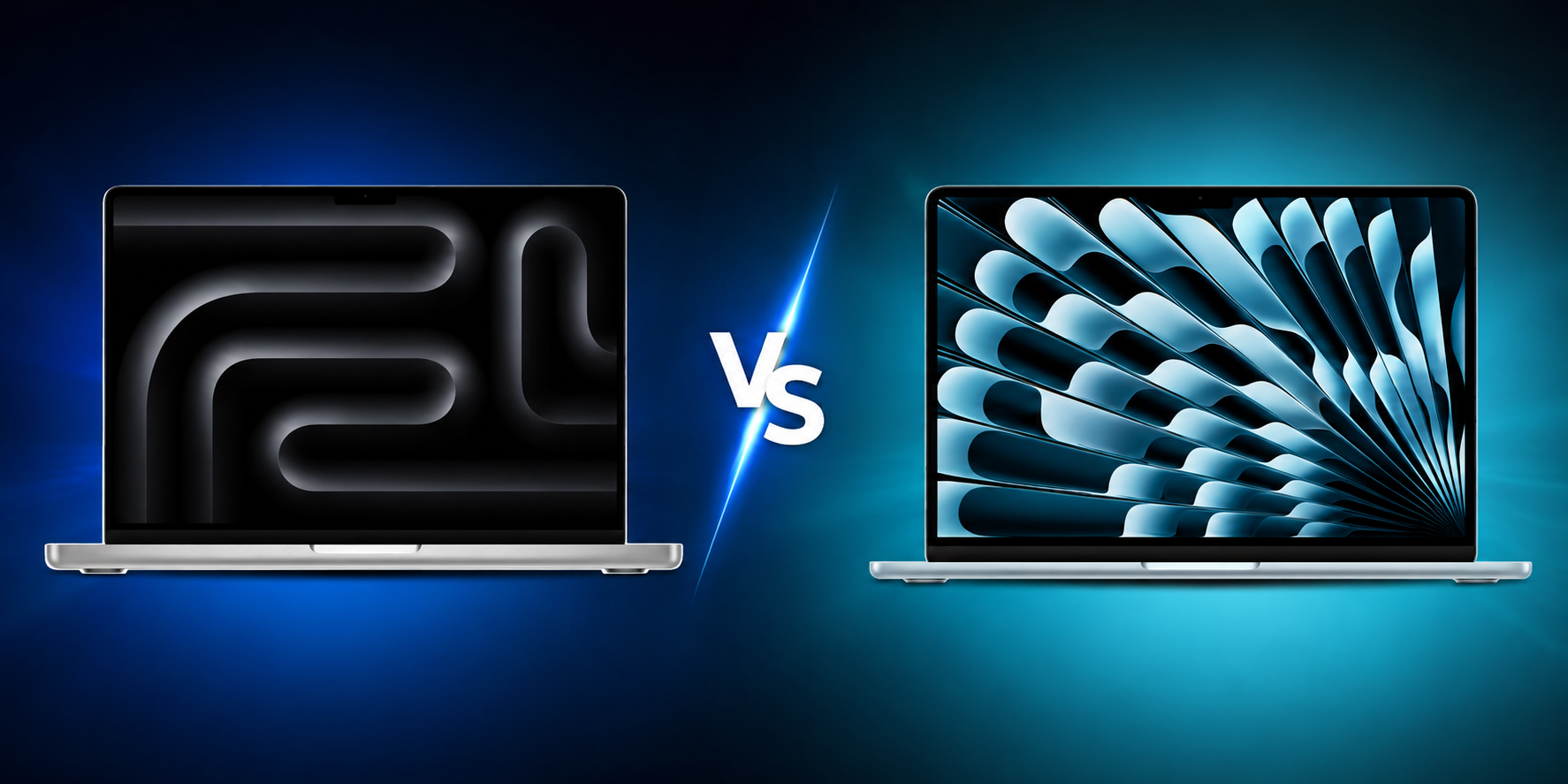
This is probably the most important buying decision for many Kuwait customers.
The MacBook Air M5 is now part of Apple's current lineup and comes in 13-inch and 15-inch versions. Apple lists 16GB unified memory as the starting memory configuration, with options up to 32GB, while storage starts at 512GB and can be configured up to 4TB. Apple rates it for up to 18 hours of battery life.
So why buy the Pro?
Choose the MacBook Air M5 if you:
- Mainly browse the web
- Write documents
- Use Microsoft Office
- Attend online classes
- Work with email
- Stream movies
- Manage social media
- Perform light creative work
- Want a lighter laptop
- Want to spend less
Choose the MacBook Pro M5 if you:
- Edit photos professionally
- Work with video
- Need a high-quality XDR display
- Want ProMotion up to 120Hz
- Need HDMI
- Use SD cards
- Work with external displays
- Run demanding applications
- Multitask heavily
- Want active cooling for sustained workloads
The important thing is that the Pro should be purchased because you need its advantages—not simply because it is more expensive.
What About the M5 Pro and M5 Max?
By August 2026, the standard M5 is no longer the most powerful chip available in the MacBook Pro.
Apple introduced M5 Pro and M5 Max MacBook Pro models in March 2026.
These chips are designed for substantially heavier professional workloads.
The 14-inch M5 Pro/M5 Max models can be configured with significantly more memory and graphics performance than the standard M5. The M5 Pro offers configurations with up to 20 GPU cores, while the M5 Max can go up to 40 GPU cores and supports up to 128GB unified memory in certain configurations.
That makes these models more appropriate for users such as:
- 3D artists
- Professional video editors
- VFX professionals
- AI developers
- Engineers working with demanding workloads
- Developers working with large-scale projects
- Professionals handling complex datasets
For most content writers, marketers, business professionals and students, however, paying for an M5 Max would be unnecessary.
Should You Upgrade From M1 or M2?
If your current MacBook has an M1 or M2 chip and still performs well, you do not automatically need to upgrade.
Apple silicon Macs remain highly capable.
Consider upgrading if you are experiencing:
- Memory limitations
- Storage limitations
- Battery degradation
- Performance bottlenecks
- Increasingly demanding software requirements
- A need for the newer display
- A need for additional ports
- A need for better AI performance
If your existing M1 or M2 MacBook handles everything you do comfortably, keeping it for longer may be the better financial decision.
The M5 makes more sense when your current machine has become a limitation rather than simply because a newer chip exists.
Should You Upgrade From an Intel Mac?
This is a much easier decision.
For someone still using an Intel MacBook, moving to Apple silicon can represent a much more significant change in performance and efficiency.
You also get access to Apple's current Mac hardware ecosystem and the latest features designed around Apple silicon.
If your Intel Mac is several years old, the difference in everyday responsiveness and battery efficiency can be substantial.
In this situation, the M5 MacBook Pro is a much easier recommendation.
Our Recommended MacBook Pro M5 Configuration
For most professional users, we would choose:
14-inch MacBook Pro M5
10-core CPU / 10-core GPU
16GB unified memory
1TB SSD
This configuration provides a strong balance between performance, storage and price.
If your work is more demanding, consider moving to 24GB or 32GB memory.
If you are doing genuinely heavy professional workloads, look beyond the standard M5 to M5 Pro or M5 Max rather than spending heavily on a standard M5 configuration that may not meet your requirements.
Final Verdict: Is the MacBook Pro M5 Worth the Upgrade?
For the right buyer, yes.
The MacBook Pro M5 remains a powerful and well-rounded professional laptop in Apple's 2026 lineup.
Its biggest advantages are not simply the M5 processor. They come from the entire package:
Excellent display + strong performance + long battery life + professional ports + premium build + macOS.
For photographers, content creators, developers, video editors and other professionals, those advantages can justify the higher price.
For everyday users, the situation is different.
If you mainly need a laptop for browsing, Office applications, research, communication and entertainment, the MacBook Air M5 is likely the smarter purchase. Apple's current Air lineup offers the M5 chip, 16GB starting memory, up to 32GB unified memory, up to 4TB storage and up to 18 hours of battery life.
And if you already own an M4 MacBook Pro that meets your needs, upgrading to M5 simply for the newer processor may not be necessary.
Our verdict for Kuwait buyers:
Buy the MacBook Pro M5 if:
You need a powerful professional laptop, an XDR display, ProMotion, better connectivity and strong sustained performance.
Buy the MacBook Air M5 if:
You want a lighter and more affordable machine for everyday work, study and entertainment.
Choose M5 Pro or M5 Max if:
You regularly perform extremely demanding professional workloads such as advanced video production, 3D work, AI development or large-scale technical computing.
At Chips, the best MacBook is not necessarily the most expensive one. It is the one that gives you the performance and features you will actually use.
Frequently Asked Questions
1. Is the MacBook Pro M5 worth buying in Kuwait?
Yes, particularly for professionals and users who need its high-end display, sustained performance and additional connectivity. For basic tasks, the MacBook Air M5 may offer better value.
2. How much is the MacBook Pro M5 in Kuwait?
Chips currently lists the 14.2-inch MacBook Pro M5 with 16GB unified memory and 1TB SSD at 659.900 KWD. Chips also lists a 16GB/512GB version at 579.900 KWD, but that version is currently shown as out of stock. Prices and availability can change.
3. Does the MacBook Pro M5 have a 120Hz display?
Yes. The 14-inch M5 MacBook Pro supports ProMotion with adaptive refresh rates up to 120Hz.
4. How long does the MacBook Pro M5 battery last?
Apple rates it for up to 24 hours of video streaming and up to 16 hours of wireless web use under its testing conditions. Actual battery life varies depending on workload and settings.
5. Is 16GB memory enough for the MacBook Pro M5?
For writing, office work, browsing, research, communication and moderate creative work, 16GB is generally sufficient. Users with demanding professional workflows may benefit from 24GB or 32GB.
6. Is the MacBook Pro M5 good for video editing?
Yes. The M5 includes hardware-accelerated media capabilities for formats including H.264, HEVC, ProRes and ProRes RAW. For extremely demanding professional video workflows, M5 Pro or M5 Max can provide substantially more performance.
7. Does the MacBook Pro M5 have an HDMI port?
Yes. The 14-inch MacBook Pro includes HDMI, three Thunderbolt 4 ports, an SDXC card slot, MagSafe 3 and a 3.5mm headphone jack.
8. Should I buy the MacBook Air M5 or MacBook Pro M5?
Choose the MacBook Air M5 for everyday work, study, browsing and general productivity. Choose the MacBook Pro M5 if you need the XDR display, ProMotion, additional ports and better sustained performance.
9. Is the M5 MacBook Pro good for students?
Yes, particularly for students studying subjects such as computer science, engineering, design, architecture, media or other fields involving demanding software. For students who mainly use browsers, documents, presentations and video calls, the MacBook Air M5 may be sufficient.
10. Should I upgrade from an M1 or M2 MacBook to M5?
Not necessarily. If your current M1 or M2 MacBook still meets your needs, there is no urgent reason to upgrade. Consider the M5 if your current Mac is limited by memory, storage, battery health or performance.
11. Should I upgrade from an Intel MacBook to M5?
For many users, yes. The move from Intel to Apple silicon can provide a significant improvement in performance and power efficiency, particularly on an older Intel Mac.
12. What is the difference between M5, M5 Pro and M5 Max?
M5 is designed for mainstream professional workloads. M5 Pro adds substantially more CPU and GPU resources for demanding professional work, while M5 Max is aimed at the heaviest workloads, including advanced 3D, VFX, AI development and professional media production.
13. Is 1TB storage enough?
For most professional users, 1TB is a comfortable starting point. It gives you substantially more room for applications and local project files than 512GB. Users working with large video libraries, datasets or extensive creative projects may want more storage.
14. Where can I buy the MacBook Pro M5 in Kuwait?
You can check current MacBook Pro M5 configurations and availability at Chips. The current Chips listing includes the 14.2-inch M5 with 16GB unified memory and 1TB storage. Chips MacBook Pro listings
Final Takeaway
The MacBook Pro M5 is not the laptop everyone needs, but for the right Kuwait buyer, it is a very compelling upgrade.
If you need a professional display, strong performance, excellent battery efficiency and versatile connectivity, the 14-inch MacBook Pro M5 with 16GB memory and 1TB storage is the configuration we would recommend for most users.
If you do not need those features, save your money and consider the MacBook Air M5 instead.
Choose based on your workload, not just the M5 name.