Google Fitbit Air vs. Smartwatches: What You Gain (and Lose) Going Screenless
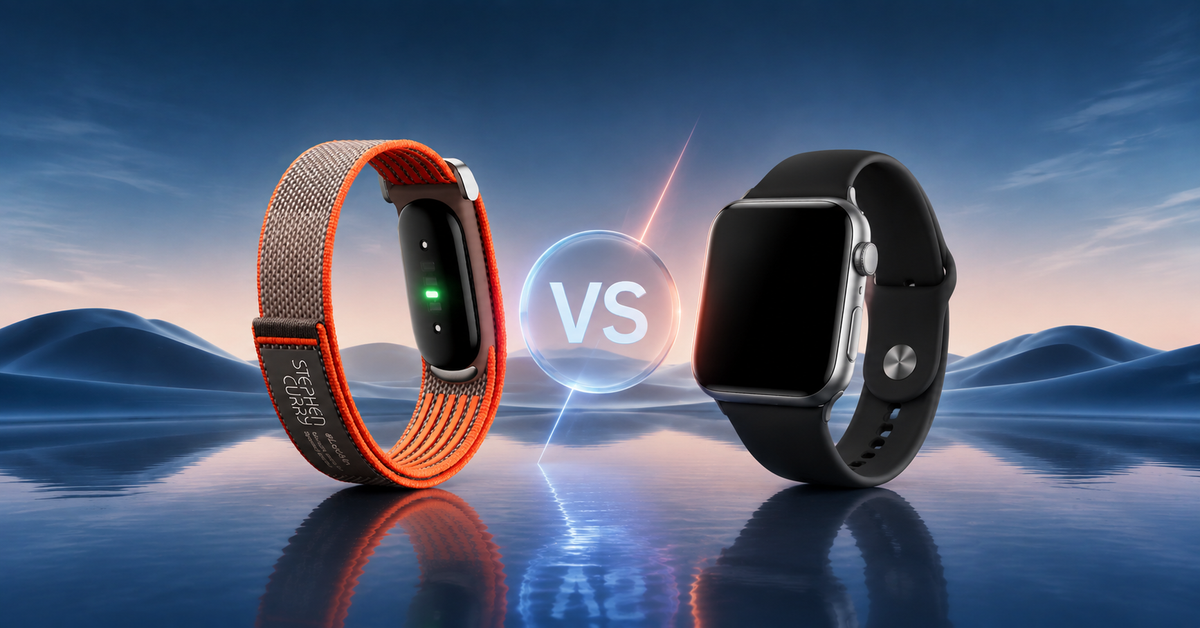
Not everyone wants another screen on their wrist.
Smartwatches can show messages, display maps, control music, answer calls, and do much more. But all those features can also result in more notifications, more distractions, and more time spent looking at a tiny screen.
Meanwhile, the Google Fitbit Air takes a different approach. It is a screenless fitness tracker designed to quietly collect health and activity information while you go about your day. Instead of showing your stats directly on your wrist, it sends your data to the Google Health app on your phone.
At Chips, we think this makes the Fitbit Air an interesting choice for people in Kuwait who want fitness tracking without the feel of a traditional smartwatch.
But is going screenless right for you?
Let's look at what you gain, what you lose, and how the Google Fitbit Air in Kuwait compares with a regular smartwatch.
What Is Google Fitbit Air?
Google Fitbit Air is a lightweight, screenless fitness tracker made for continuous health and activity tracking. It tracks information such as steps, sleep, heart rate, and other health metrics, then syncs that information to the Google Health app on your phone.
There is no watch face to check. No scrolling through notifications. No apps sitting on your wrist.
Instead, the tracker uses a small status light to show basic information, such as charging or low battery. You can double-tap the device to check its battery status, while more detailed information is available through the Google Health app.
What Do You Gain from Google Fitbit Air?
Here’s what you get when you buy the Google Fitbit Air.
1. You Gain Fewer Distractions
This is probably the biggest reason to choose a screenless tracker.
A smartwatch can be useful, but it can also become another source of interruptions. You may check a message, see an email, read a notification, and end up spending several minutes on your wrist.
The Google Fitbit Air removes that temptation.
Since there is no display, you cannot casually look down at your wrist to read messages or browse apps. The tracker is focused on collecting information rather than constantly showing it to you.
For someone trying to spend less time looking at screens, this can be a real advantage.
You can wear the Fitbit Air during work, exercise, travel, or sleep and check your information when you actually want it.
Think of it as a fitness tracker that stays in the background.
2. You Gain Long Battery Life
Charging a smartwatch every day can become annoying.
The Google Fitbit Air is rated for up to seven days of battery life, although actual battery life varies depending on usage and other factors. Google bases this estimate on testing with pre-production hardware and software and notes that usage, features, environment, and other conditions can affect results.
That longer battery life can be useful for people who want continuous tracking.
If you wear the tracker overnight, you do not have to worry about taking it off every night simply because it needs to charge.
It can also be helpful when traveling around Kuwait or taking a short trip. Fewer charging breaks mean fewer things to remember.
A traditional smartwatch may offer more features, but a Fitbit Air can make the basic experience simpler.
3. You Gain Quiet, 24/7 Health Tracking
The Google Fitbit Air is designed to stay with you throughout the day and night.
It tracks important information such as activity, sleep, and heart rate. Your data then syncs with the Google Health app, where you can review your progress and insights.
This makes the Fitbit Air useful for people who care about their overall habits rather than just individual workouts.
For example, you might use it to understand:
- How active you are each day
- How much you sleep
- Changes in your heart rate
- Your workout activity
- Your longer-term fitness progress
Some advanced health features require Google Health Premium, and feature availability can vary by region.
It is also important to remember that fitness trackers are wellness tools. They are not a replacement for medical advice or professional health care.
4. You Gain Automatic Activity Detection
Another useful feature is automatic activity detection.
Google says Fitbit Air can automatically detect and record continuous, high-movement activities such as walking, running, cycling, sports, using an elliptical, rowing, and stationary cycling.
This is helpful if you are the type of person who forgets to start a workout manually.
Imagine going for a walk after work in Kuwait. You do not necessarily want to stop, unlock a device, find the workout app, and start tracking.
With automatic activity detection, the tracker can recognize certain activities and send a notification to your phone when the workout summary is ready.
It is a small feature, but it fits the whole idea behind Fitbit Air: track your activity without making you think about the tracker all the time.
5. You Gain a More Discreet Design
Some people simply do not like wearing a large smartwatch.
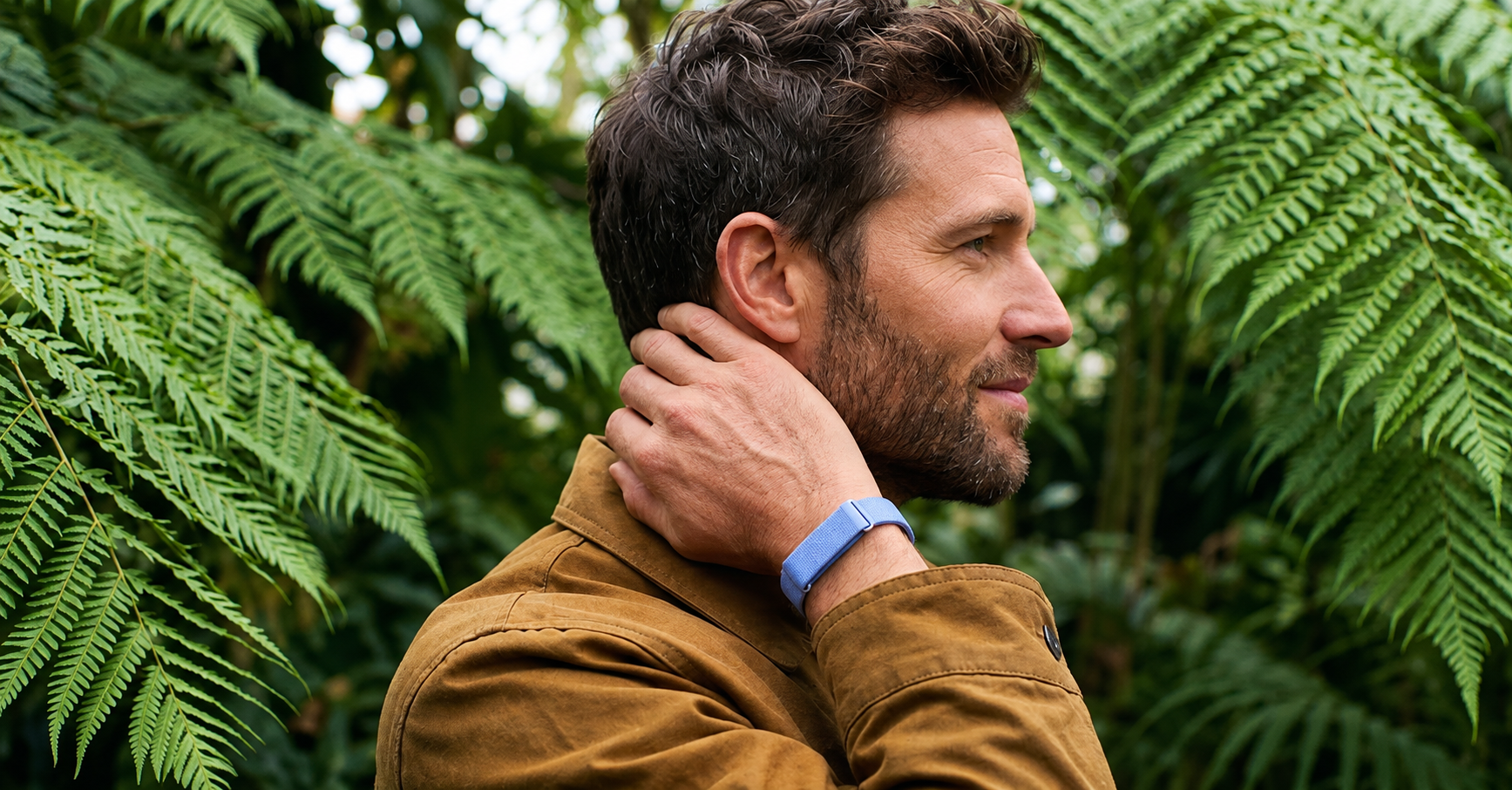
The Google Fitbit Air is designed to be lightweight and discreet. Google describes it as its smallest and lightest tracker for continuous heart-rate tracking.
Its screenless design also means it can look more like a simple fitness band than a traditional smartwatch.
Google offers the Fitbit Air in different variants, including Obsidian, Berry, Lavender, and the Special Edition Stephen Curry model.
For someone who wants a wearable that blends into everyday clothing instead of looking like a mini computer, this can be appealing.
What Do You Lose by Going Screenless?
The benefits are clear, but there is another side to the decision.
A screenless tracker is not a smartwatch without a screen. It is designed to do something different.
Here are some of the things you give up.
1. You Lose Instant Access to Your Stats
With a smartwatch, you can usually lift your wrist and see your heart rate, steps, workout time, pace, or other information.
The Fitbit Air does not work that way.
Because it has no screen, you need your phone and the Google Health app to see your detailed information. Google confirms that the tracker syncs its data through Bluetooth to the app.
This may not matter if you prefer checking your information later.
But if you are a runner who wants to see your pace while exercising, or someone who likes watching heart-rate information during a workout, a screen-based smartwatch may be more convenient.
That is one of the most important questions to ask before buying: Do you want to track your workout or see your workout information in real time?
If the answer is the second one, a traditional smartwatch may be the better fit.
2. You Lose Built-In GPS
The Google Fitbit Air does not have built-in GPS.
Instead, it uses connected GPS, which means you need your phone with you for GPS workout tracking.
This is an important difference between the Fitbit Air and some smartwatches or advanced fitness watches.
If you usually carry your phone while walking or running, connected GPS may be perfectly fine.
But if you prefer leaving your phone at home while you exercise, a smartwatch with built-in GPS gives you more freedom.
For outdoor runners and cyclists, this could be one of the deciding factors.
3. You Lose Traditional Smartwatch Features
This is where the difference becomes very clear.
A smartwatch can often do much more than track fitness. Depending on the model, you may be able to:
- Read messages
- Answer or reject calls
- Use apps
- View maps
- Control music
- Check the weather
- Make payments
- Set timers
- View notifications
- Use navigation
The Fitbit Air is not designed to replace all of these functions.
Its purpose is more focused: track your activity and health in the background, then let you review the information on your phone.
If you want a smartwatch that acts like a small extension of your phone, choose a smartwatch.
If you want a tracker that quietly monitors your activity without putting another screen in front of you, the Fitbit Air makes more sense.
Who Should Choose Google Fitbit Air?
The Fitbit Air may be a good choice if you:
- Want fewer screens in your day
- Mainly care about fitness and health tracking
- Want long battery life
- Track sleep regularly
- Prefer a lightweight wearable
- Usually carry your phone
- Do not need smartwatch apps
- Want a simple, discreet design
- Prefer checking your data later rather than during a workout
It can be especially appealing if you already have a smartphone that handles your messages, navigation, music, and other daily tasks.
In that case, why duplicate those features on your wrist?
Who Should Choose a Smartwatch Instead?
A traditional smartwatch may be better if you:
- Want to read notifications from your wrist
- Need built-in GPS
- Want maps or navigation on your wrist
- Like seeing workout information while exercising
- Want music controls
- Need smartwatch apps
- Want calls or messages on your wrist
- Prefer having more functions in one device
In other words, a smartwatch is better when you want your wearable to be an extension of your phone.
Google Fitbit Air in Kuwait: What Does It Cost?
At the time of writing, Chips lists the standard Google Fitbit Air models, including Obsidian, Berry, and Lavender, at 38.900 KWD. The Special Edition Stephen Curry model is listed at 59.750 KWD. Stock and prices can change, so customers should check the live Chips listings before purchasing.
The standard version is a straightforward choice if you want a simple, neutral look.
The Stephen Curry Special Edition may appeal more to NBA fans or anyone who wants something with a stronger sports identity.
Frequently Asked Questions
1. What is Google Fitbit Air?
Google Fitbit Air is a lightweight, screenless fitness tracker that monitors activity, sleep, heart rate, and other health information. Your data is synced to the Google Health app on your phone.
2. Does Google Fitbit Air have a screen?
No. Google Fitbit Air is completely screenless. Instead, it uses a status light for basic device information, while detailed health and fitness data is viewed through the Google Health app.
3. Does Fitbit Air have GPS?
Fitbit Air does not have built-in GPS. It uses connected GPS, so you need your phone with you for GPS workout tracking.
4. How long does Google Fitbit Air battery last?
Google rates Fitbit Air for up to seven days of battery life. Actual battery life depends on usage, features, environment, and other conditions.
5. Is Google Fitbit Air waterproof?
Google Fitbit Air has a 5 ATM water protection rating and an IP68 dust and water protection rating when it leaves the factory. Google describes it as water-resistant rather than completely waterproof, and water resistance can decrease over time.
6. Can Google Fitbit Air track sleep?
Yes. Fitbit Air tracks sleep and other health metrics, with the information available through the Google Health app.
7. Is Google Fitbit Air better than a smartwatch?
That depends on what you need. Fitbit Air is better suited to people who want simple, screen-free health and fitness tracking with long battery life. A smartwatch is generally better for people who want notifications, apps, built-in GPS, maps, and other smart features.
Final Thoughts
Going screenless may sound like giving something up.
And it is.
You give up instant access to notifications, apps, maps, and workout information on your wrist. You also need your phone for detailed data and connected GPS.
But you gain something that many people now value just as much: simplicity.
The Google Fitbit Air focuses on tracking rather than constantly displaying information. It can monitor your activity, sleep, heart rate, and workouts while offering up to seven days of battery life.
At Chips, we offer the Google Fitbit Air in Kuwait alongside a range of smartwatches, fitness trackers, and accessories. Check out our options and choose what best suits your preferences.