iPhone 18 Pro and Pro Max Camera Lens Protector Guide: Does It Affect the Variable Aperture, Night Photos, and Flare?
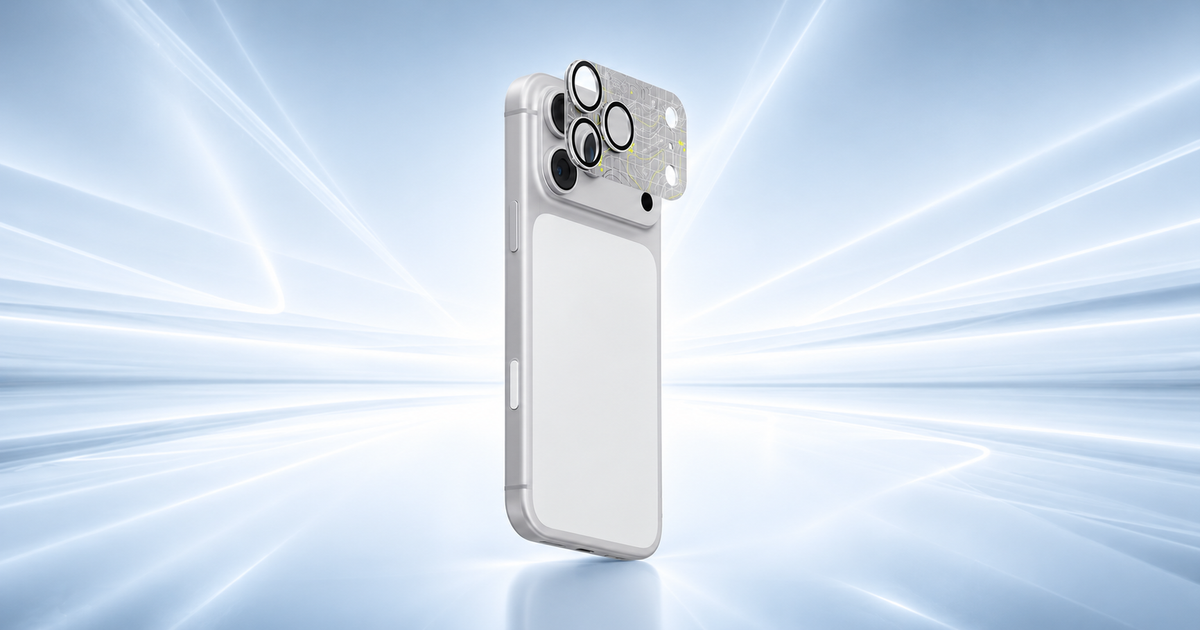
The iPhone 18 Pro and iPhone 18 Pro Max are for people who care about photography. Their advanced camera systems can capture portraits, landscapes, night scenes, and detailed videos. But the raised camera lenses can also get scratched when your phone is placed on a desk, carried in a pocket, or used outdoors.
That leads to an important question: Should you use a camera lens protector, and will it affect your photos?
A good-quality protector can help guard the camera area against scratches and everyday wear. However, a poorly fitted or low-quality protector may cause unwanted reflections, glare, blurry details, or light spots in photos, especially at night.
At Chips, we believe protecting your phone should not mean giving up the camera quality you paid for. This guide explains how an iPhone 18 Pro camera lens protector or iPhone 18 Pro Max camera lens protector may affect variable aperture, night photography, and lens flare, along with tips for choosing the right accessory.
Why Should You Use a Camera Lens Protector?
Your iPhone camera lenses are built for regular use, but they are not impossible to damage. Small particles, rough surfaces, keys, and accidental drops can cause scratches or damage around the camera area.
A camera lens protector adds a layer of protection over the lens area or around individual camera lenses, depending on its design.
Here are three reasons to consider one:
- Protection against scratches: It can reduce the risk of marks caused by everyday contact.
- Extra peace of mind: It helps protect the camera area when you carry your phone in a bag or use it outdoors.
- Added protection for resale: Keeping your phone in good condition may help when you decide to sell or trade it in later.
However, a protector cannot guarantee that your camera will survive a hard drop. It is also not a replacement for a good phone case.
Before buying, check whether the protector covers each lens separately or covers the camera area as a single piece. The design affects installation, cleaning, and compatibility with your case.
What Is Variable Aperture on the iPhone 18 Pro?
The iPhone 18 Pro and iPhone 18 Pro Max feature a variable-aperture Main camera. Aperture controls how much light enters the lens and reaches the camera sensor. The variable opening lets the camera adjust how it captures different scenes.
In simple terms, a wider aperture lets in more light, while a narrower aperture lets in less light. Aperture can also affect depth of field, which describes how much of a photo appears sharp from front to back.
This can be useful in several situations:
- Taking portraits with a softer background.
- Photographing food or products up close.
- Capturing indoor scenes in low light.
- Photographing landscapes where more details should remain sharp.
Can a Camera Lens Protector Affect Variable Aperture?
A properly fitted, clear protector should not physically control or change the camera's aperture mechanism. The aperture is part of the camera system inside the phone.
However, a protector placed over the optical path adds another surface that light must pass through. If the protector has poor optical quality, scratches, smudges, or unwanted reflections, it may affect the final image.
This means you should choose an accessory designed for your exact iPhone model. Avoid protectors that are loose, poorly aligned, or leave adhesive across the camera's optical area.
A protector cannot improve the variable-aperture system itself. Its main job is to help protect the camera area while keeping the optical path as clear as possible.
Will a Camera Lens Protector Affect Night Photos?
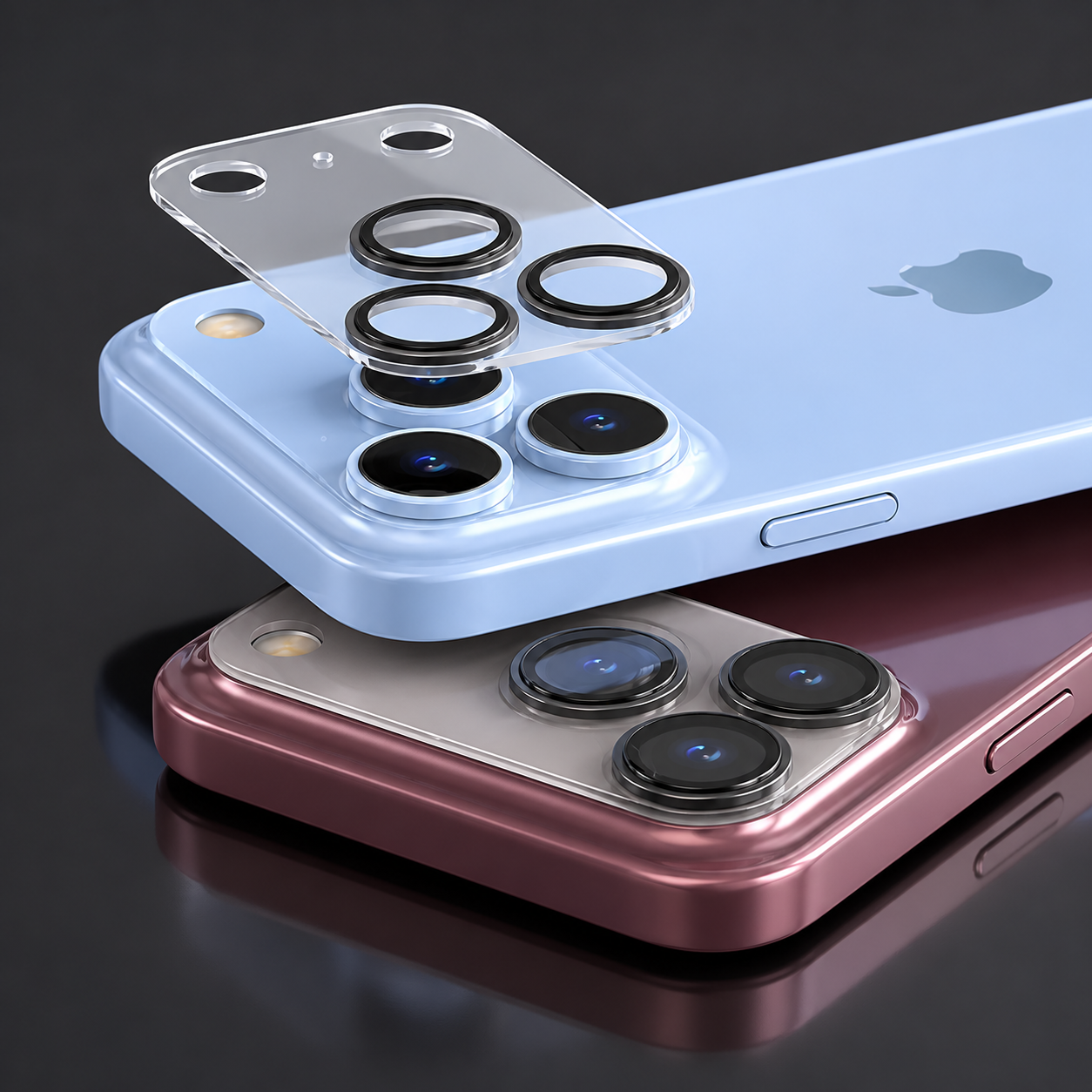
Night photography is one of the biggest reasons to pay attention to the quality of your camera lens protector.
When you take photos at night, your camera has to work with less available light. Streetlights, car headlights, shop signs, and other bright objects can create strong contrasts in a dark scene. Extra reflections from a protector may become more noticeable under these conditions.
A low-quality or dirty protector can sometimes cause:
- Bright halos around streetlights.
- Unwanted light spots in dark areas.
- Hazy or less clear images.
- Reduced contrast between bright and dark parts of a photo.
These effects do not happen with every protector or every photo. The result depends on the protector's materials, coatings, fit, cleanliness, and the lighting around you.
How to get better night photos
If you use an iPhone 18 Pro or iPhone 18 Pro Max, follow these simple steps:
1. Clean the camera area: Use a clean microfiber cloth to remove fingerprints and dust.
2. Check for bubbles: Make sure the protector is properly fitted, without bubbles or gaps near the lenses.
3. Avoid cheap, unclear materials: Choose a product made for your specific phone and intended to preserve image clarity.
4. Test bright lights: Take photos of streetlights or shop signs with the protector installed and check for extra glare.
5. Remove the protector for comparison if needed: If your photos look hazy or show unusual light spots, compare the same scene with and without the protector.
Keep your phone steady when taking night photos, too. A steady phone and clean lens can make a noticeable difference, regardless of whether you use a protector.
What Is Lens Flare, and Can a Protector Make It Worse?
Lens flare happens when bright light enters a camera lens and creates unwanted reflections, streaks, or colored spots in an image.
For example, you might notice flare when photographing a sunset, a bright streetlight, or a car's headlights at night.
Some lens flare is a normal part of photography. However, an extra glass surface can create additional reflections if it is not designed well.
A camera lens protector may increase unwanted flare if it has poor coatings, reflective edges, surface damage, or a design that does not fit the camera correctly. Fingerprints and dust can also scatter light and reduce contrast.
Does this mean every camera lens protector causes lens flare? No. The effect varies by product and lighting conditions. A well-made protector may have little noticeable impact, but no accessory can guarantee that flare will never occur.
At Chips, we recommend testing your photos after installing a new protector. Take one picture in daylight and another with a bright light source in the frame. Compare the results to make sure you are happy with the image quality.
How to Choose the Right iPhone 18 Pro or Pro Max Camera Lens Protector
Before buying, check these five things.
1. Model compatibility
The iPhone 18 Pro and iPhone 18 Pro Max are different sizes. Do not assume a protector made for one will fit the other. Check the product title and supported models carefully.
2. Optical clarity
Choose a protector designed to keep the camera view clear. Look for information about the glass, coatings, and resistance to scratches. Marketing terms alone do not prove that a product will preserve image quality.
3. Case compatibility
Some cases have raised edges around the camera. A protector that is too thick or wide may not fit properly with your case.
4. Installation
Dust, fingerprints, and trapped air can affect the way a protector sits over the camera. Follow the installation instructions and clean the area before applying it.
5. Ease of cleaning and removal
A protector should be easy to keep clean. If it cracks, becomes scratched, or causes visible image problems, replace it carefully. Do not use sharp tools that could damage the phone's camera glass.
For most people, the best choice is a well-fitting protector that offers useful scratch protection without adding unnecessary layers or blocking any part of the camera system.
Final Thoughts
A camera lens protector can be a useful accessory for your iPhone 18 Pro or iPhone 18 Pro Max, especially if you want extra protection against everyday scratches. However, protecting your phone should not come at the cost of photos you are unhappy with.
A good protector should fit correctly, keep the camera's optical path clear, and work with your phone case. Low-quality materials, fingerprints, scratches, and unwanted reflections can affect night photography and cause lens flare.
Our advice is simple: choose a protector designed for your exact iPhone model, keep it clean, and test your camera after installation. If you notice unusual glare or hazy images, compare your photos with the protector removed.
Ready to protect your camera? Explore the iPhone camera lens protector collection at Chips to find an option that suits your phone and everyday needs.
Frequently Asked Questions
1. Does an iPhone 18 Pro camera lens protector affect variable aperture?
A correctly fitted protector should not change the camera's physical aperture mechanism. However, its material, reflections, or poor placement may affect the light reaching the camera and the resulting image.
2. Will an iPhone 18 Pro Max camera lens protector reduce photo quality?
It can, depending on its quality and condition. A poorly made, dirty, or scratched protector may cause haze, reflections, or reduced contrast. A suitable, well-fitted product is less likely to cause noticeable problems, but results can vary.
3. Can a camera lens protector cause glare at night?
Yes. Additional reflective surfaces can sometimes create unwanted glare or light spots around bright objects. Cleaning the protector and comparing photos with and without it can help identify the cause.
4. Do camera lens protectors prevent scratches?
They can help protect the covered areas from everyday scratches, but they cannot guarantee protection against every impact or drop. A protective phone case can provide another layer of defense.
5. Where can I buy an iPhone 18 Pro Max camera lens protector in Kuwait?
You can browse the Chips camera lens protector collection to compare compatible options, product details, prices, and availability.